


If your house feels two or three degrees different than the number on the thermostat, the most likely cause is not your AC. It is the thermostat itself either reading the room wrong, or sitting somewhere that does not represent the actual room temperature. Both problems are fixable in under an hour without replacing anything. Here is how to figure out which one you have and what to do about it.

What Thermostat Calibration Actually Means
Calibration is the alignment between what a thermostat reads and what the actual room temperature is. A perfectly calibrated thermostat says 72 degrees when the room is 72 degrees, period. Real-world thermostats drift over time, get pushed out of spec by their mounting location, or were never calibrated correctly from the factory. The result is a system that runs based on a wrong number.
The consequences are bigger than they sound. If your thermostat reads 2 degrees high, the AC runs longer than it needs to and your electric bill creeps up. If it reads 2 degrees low, the system shuts off too early and the house never gets comfortable. If the thermostat has a wider hysteresis (the dead band between calls for cooling) than expected, the room temperature swings several degrees before the system kicks in, which feels uncomfortable even when the average temperature is right.
How to Check If Your Thermostat Is Accurate
You do not need fancy tools. A reliable indoor digital thermometer that costs 15 dollars at Amazon or the hardware store is enough. Tape it to the wall right next to the thermostat at the same height. Let both devices acclimate for 20 minutes with the HVAC off. Compare readings.
If both readings agree within 1 degree, your thermostat is fine. The discomfort you feel is coming from somewhere else, usually airflow problems, ductwork issues, or thermostat placement (more on that in a minute). If the readings differ by 2 or more degrees, you have an actual calibration problem. Either the thermostat is bad, or the location is hurting the reading.
For a more thorough check, repeat the test in three different conditions: with HVAC off and stable, immediately after a cooling cycle, and immediately after a heating cycle. A thermostat that is accurate at rest but off after cycling is probably reading short-cycled air movement instead of the real room temperature.
Common Causes of Bad Thermostat Readings
Direct sunlight on the thermostat
A south-facing or west-facing wall that gets direct sun for an hour or more each day will heat the thermostat housing above the actual room temperature. The system thinks the house is hotter than it is, runs harder, and overcools the rest of the house. We see this constantly in San Jose homes where the thermostat was placed wherever was convenient during construction rather than where it would read correctly.
Drafts from supply registers or doors
If a supply register blows conditioned air directly across the thermostat, the thermostat reads the supply air temperature instead of the room temperature. System shuts off way too early because the thermostat thinks the room is already cool. Same effect from a thermostat next to an exterior door or window with air infiltration.
Mounted on an exterior wall
Exterior walls are colder in winter and hotter in summer than the room they border. A thermostat mounted on an exterior wall picks up the wall temperature instead of the room temperature. This is one of the most common installation mistakes in older homes. The fix usually means moving the thermostat to an interior wall, which is a bigger job than swapping the device.
Dust or debris inside the housing
Older mercury or bimetallic thermostats are sensitive to internal contamination. Dust buildup over years can throw the calibration off by several degrees. Modern digital thermostats are less affected but their internal vents can still get clogged. Pop off the cover annually and blow it out with canned air. Free recalibration.
Internal sensor failure
If location, dust, and drafts all check out and the readings are still off, the thermostat itself has a bad temperature sensor. Cannot be repaired. Replace the thermostat.
How to Recalibrate Common Thermostat Brands
Honeywell digital
Most Honeywell models have a temperature offset setting in the advanced or installer menu. Press and hold the menu or system button for 5 seconds. Navigate to the temperature offset option. Adjust by plus or minus the difference you measured. Example: thermostat reads 74, room is actually 72, set offset to negative 2. Save and confirm.
Nest
Nest does not expose a manual offset to homeowners. The device claims to self-calibrate using its own temperature sensor and AI. If your Nest is consistently off, the fix is usually to add a remote temperature sensor (Nest Temperature Sensor accessory) in the room you actually want to control, or to move the thermostat to a better location. The newest Nest models also let you set “Sensor Schedules” so the main living space sensor takes priority during waking hours.
Ecobee
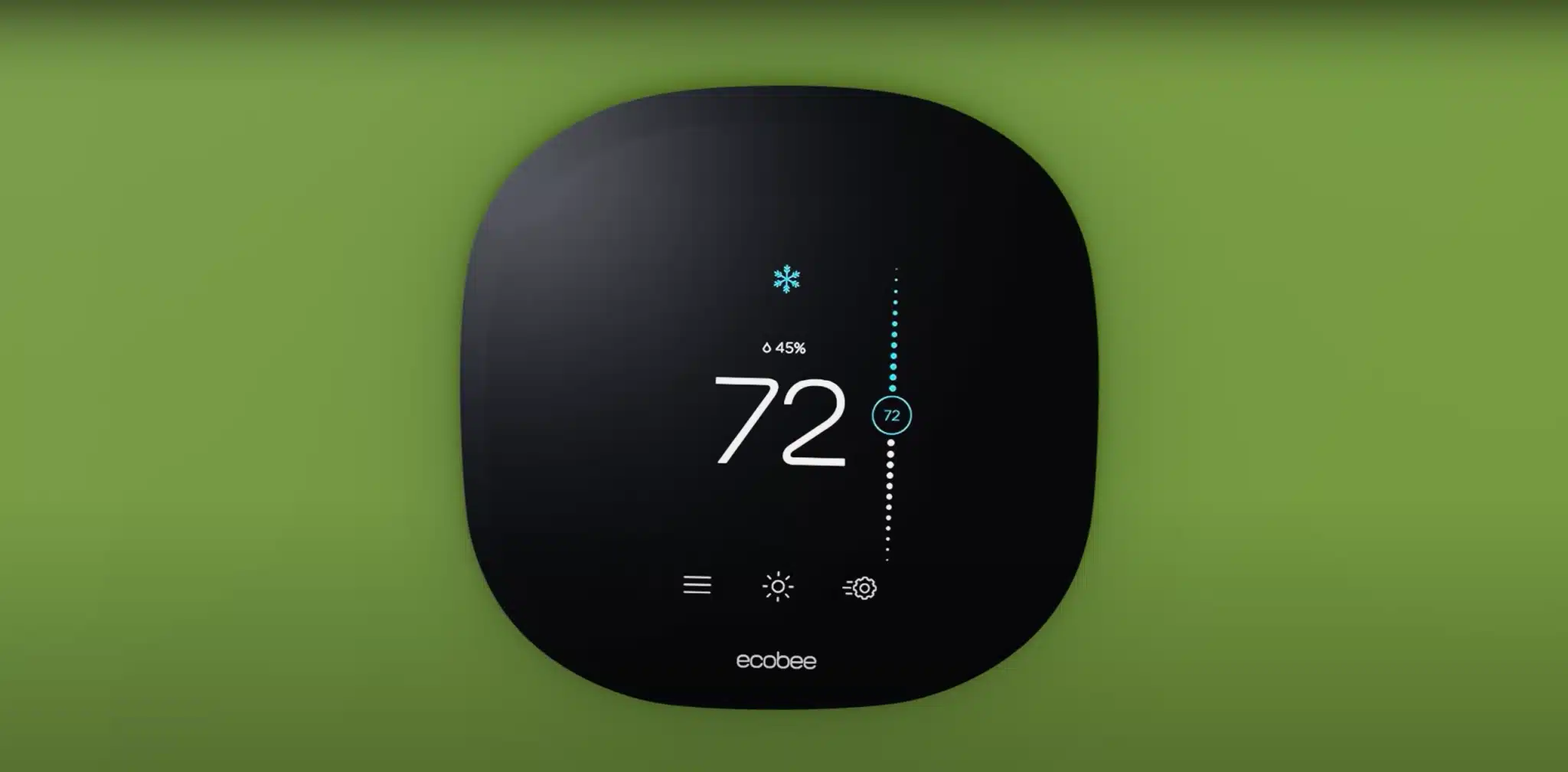
Ecobee has both a temperature correction setting and remote room sensors. From the main menu, go to Settings, Installation Settings, Thresholds, Temperature Correction. Adjust by the measured difference. Better: pair the included Ecobee SmartSensors to the rooms you care about most, configure them as “Follow Me” or by schedule, and let the average of multiple sensor readings drive the system instead of relying on the thermostat location alone.
Older mercury thermostats
Round Honeywell mercury thermostats from the 70s and 80s can sometimes be calibrated by adjusting the small screw on the bimetallic coil. Realistically, if your thermostat still has a mercury switch, the right move is to replace it with a modern device. Mercury is hazardous, the calibration drifts over time, and a new programmable thermostat usually pays for itself in 12 months of energy savings.
When You Should Just Replace the Thermostat
Replacement is the right move in these situations. Your thermostat is mechanical or mercury-based and pre-2000. Calibration drifts within weeks after you set it. Internal sensor reads erratically. The display is dim, flickers, or stops responding. You want zoning or remote sensors that the current device does not support. The thermostat is incompatible with the equipment (single-stage device on a two-stage or variable speed system).
For most South Bay homes, a Nest, Ecobee, or Honeywell T-Series smart thermostat installed by a pro runs 350 to 600 dollars total including device and labor. Wiring compatibility matters. Older homes without a C-wire need either a C-wire adapter, a power kit, or a thermostat that runs on its own battery. We confirm wiring before quoting.
Frequently Asked Questions About Thermostat Calibration
How often should a thermostat be calibrated?
For modern digital thermostats, check accuracy once a year as part of a spring tune-up. For older mechanical thermostats, check it every season. If the readings ever drift more than 1 degree, recalibrate or replace.
Can a bad thermostat make my house feel humid?
Yes. If the thermostat shuts the system off too early due to a bad reading, the run time is too short to remove moisture from the air. The house may technically be at the set temperature but feels muggy because relative humidity is high. Recalibrate the thermostat and the AC will run longer, dehumidifying as it cools.
Should I use the thermostat sensor or a remote sensor?
Use a remote sensor in the room you actually want to control. The hallway near the bedrooms is rarely the room you care most about being comfortable. Ecobee SmartSensors and Nest Temperature Sensors both solve this elegantly. Place the sensor in your primary living space or primary bedroom for the most useful temperature control.
My thermostat says 72 but feels like 78. What gives?
Probably one of three things. The thermostat is in a cool location that does not match the rest of the house (often a hallway with crossing air currents). The room you are in has direct sun heating that area. Or the ductwork is delivering too little cooling to that room while overcooling near the thermostat. A real diagnostic usually requires checking supply temperatures at each register, not just the thermostat itself.
Is a smart thermostat actually worth it in San Jose?
Yes, especially for South Bay homes on PG&E time-of-use rates. A Nest or Ecobee can shift cooling to off-peak hours, learn your schedule, and avoid running the system when nobody is home. Typical PG&E customers save 10 to 18 percent on cooling costs after the first year. Plus most smart thermostats qualify for PG&E rebates that knock 50 to 120 dollars off the device cost.
Comfort Off? Get the Thermostat Diagnosed Before You Replace the AC
Silicon Valley Comfort diagnoses thermostat and zoning issues across Santa Clara and San Mateo counties. Half the systems homeowners think need a new AC actually need a new thermostat or a better-placed one. Call 408-691-5940 or email service@air.systems and we will figure out which.
Related HVAC Services
- preventative maintenance plans
- heat pump services
- book a visit with Silicon Valley Comfort
- HVAC service areas across the South Bay
Need this handled instead of DIY? Silicon Valley Comfort runs same-day calls across the South Bay. Call 408-691-5940 or book a visit with Silicon Valley Comfort.